Anthropic announced today that Claude Code cloud sessions are generally available and no longer a research preview. The one-line pitch: Claude Code keeps working even when your laptop is closed.
To get people to try it, existing Pro and Max subscribers get a one-time credit: $100 on Pro, $250 on Max.
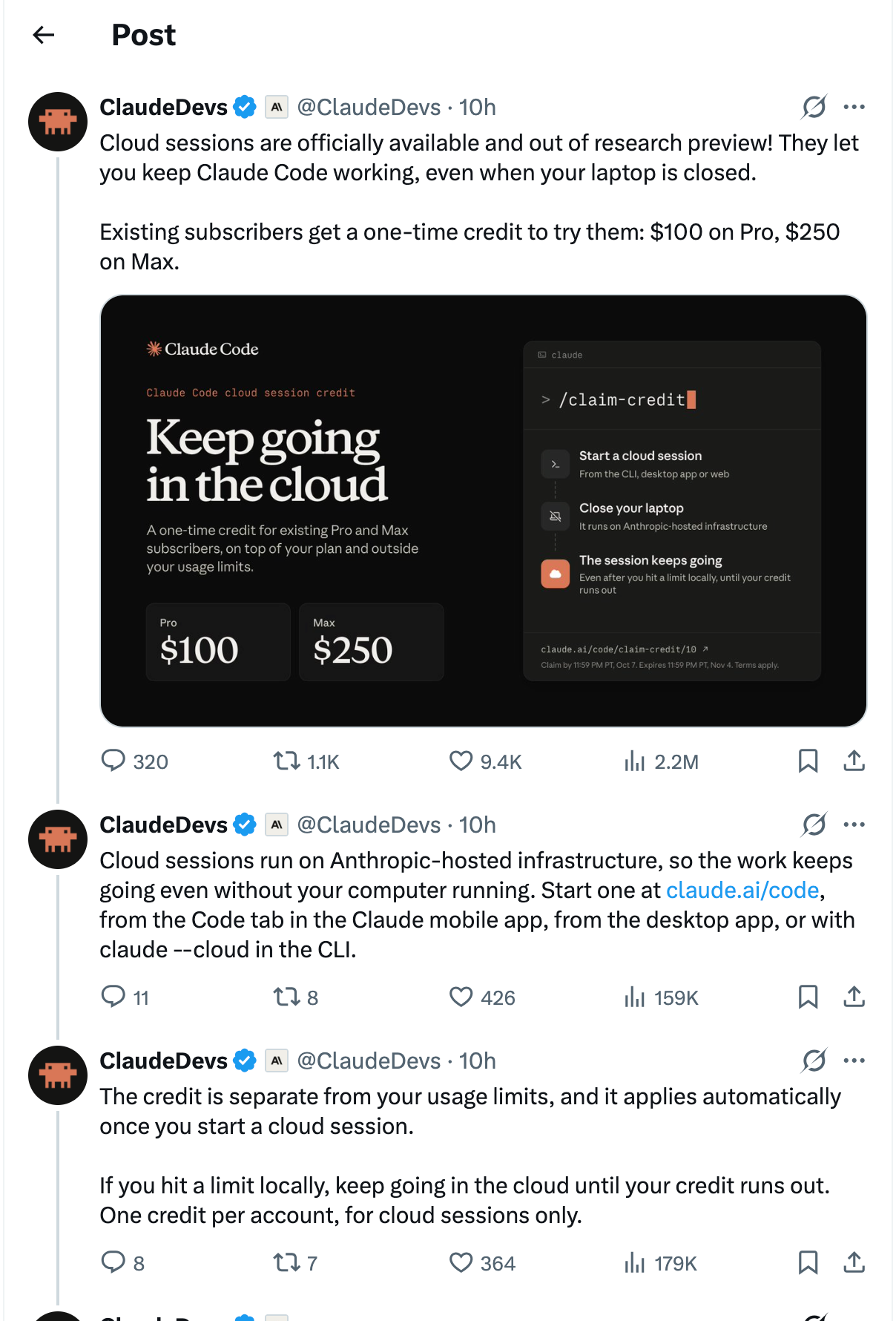
What a cloud session is
A normal Claude Code session runs on your machine. If the laptop goes to sleep, loses Wi-Fi, or you just close the lid to go home, the session stops with it.
A cloud session runs on Anthropic-hosted infrastructure instead. You give it a task and a GitHub repo, and it carries on without your computer. You can check in later from the web, the desktop app, or your phone.
You can start one from:
- claude.ai/code
- the Code tab in the Claude mobile app
- the Claude desktop app
- the CLI, with
claude --cloud
The work happens in a hosted environment rather than on your local files, so your laptop isn’t the bottleneck and the agent isn’t poking around your home directory.
The credit
The details from the announcement:
| Amount | $100 (Pro), $250 (Max), one per account |
| How to claim | run /claim-credit in the CLI, or visit the claim link in the announcement |
| Claim by | 11:59 PM PT, October 7, 2026 |
| Expires | 11:59 PM PT, November 4, 2026 |
| Applies to | cloud sessions only |
| Usage limits | separate from them, it doesn’t eat into your plan |
The credit kicks in automatically once you start a cloud session. The part I like most is this line from Anthropic: “If you hit a limit locally, keep going in the cloud until your credit runs out." So if you’re close to your weekly cap in the middle of a task, you have a second pool to finish it with.
You’ll need a GitHub-connected repo, since that’s how the cloud session gets your code.
Cloud session vs Remote Control
These two are easy to mix up:
- Remote Control lets you steer a session that’s running on your machine from your phone or browser. Your computer still has to be on.
- Cloud sessions run the whole thing on Anthropic’s machines. Your computer can be off.
If your project isn’t on GitHub, or depends on local databases, hardware, or a private network, Remote Control is still the better fit. For everything else, the cloud version removes the “don’t let the laptop sleep” problem.
What I’d use it for
Tasks that are long, fairly mechanical, and easy to review afterwards:
- migrations and big refactors you want done by morning
- trying two or three approaches to the same problem in parallel sessions
- kicking off a fix from your phone while away from the desk
Things I wouldn’t hand it: work that needs local-only resources, anything I want to steer step by step, and code my company isn’t allowed to send to hosted infrastructure.
Tips for unattended runs
Since you’re not watching, the prompt has to do more of the work:
- Define “done”. For example: all tests in
packages/apipass, no new lint errors, and a PR description listing behavior changes. - Limit the scope. Tell it which directories it may touch, and to stop and explain if it needs to go outside them.
- Ask for a log. Have it append what it tried and why to a
SESSION_LOG.md. That’s the fastest thing to read when you come back. - Set a stop rule. If two approaches fail, stop and summarize instead of trying endless variations.
And review the result like a pull request from a contractor, because that’s basically what it is. Keep production secrets out of any repo a cloud session can read, and give the GitHub connection the narrowest access that works.
The open question
Anthropic hasn’t said what cloud sessions cost once the credit is gone. That’s the thing to figure out during the trial. Run a few real tasks, check how much credit each one burned, and decide before November 4 whether it’s worth paying for.
For a GitHub-based workflow, claiming it is an easy call. Just don’t forget the October 7 deadline.